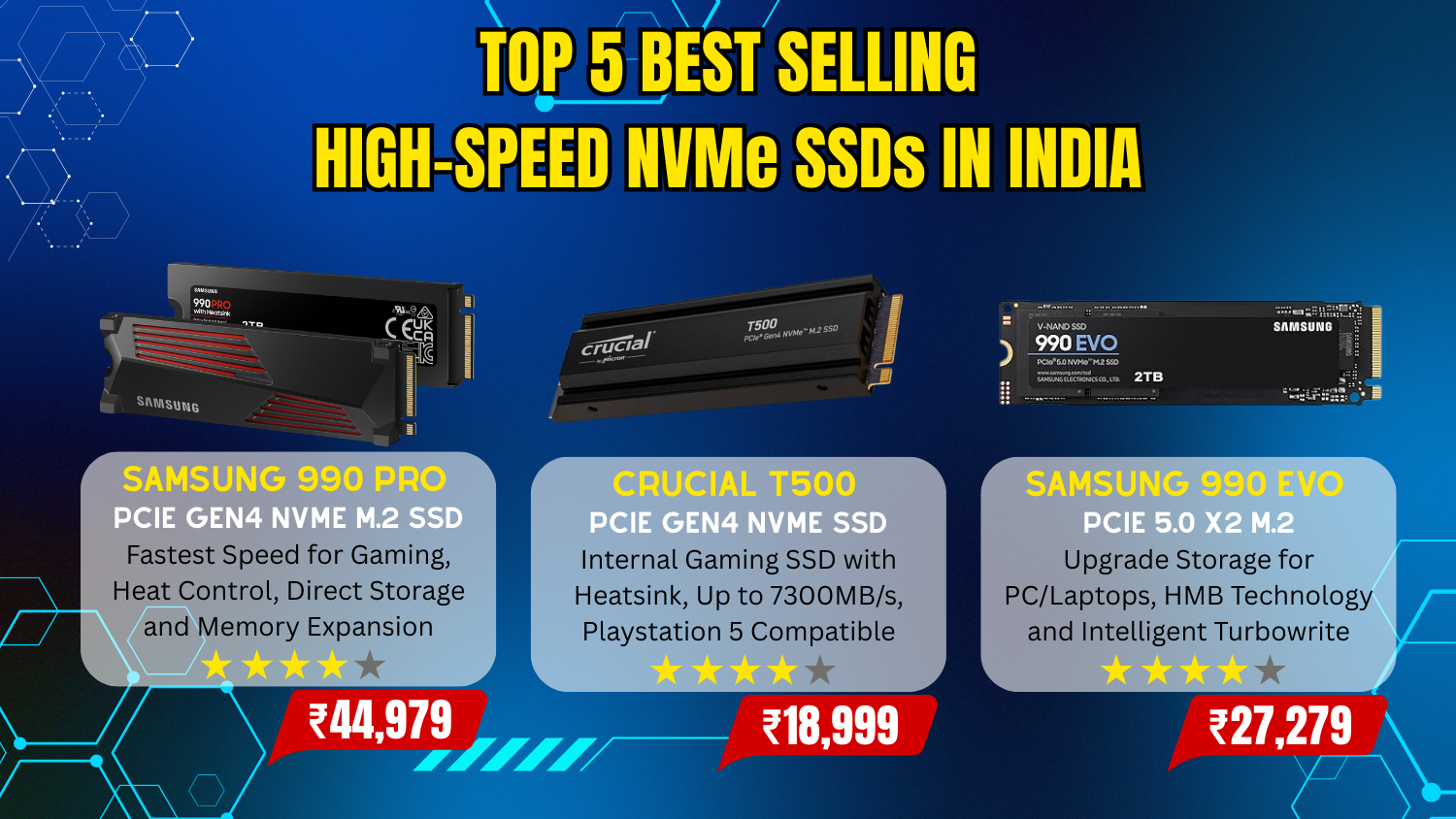
Top 5 Best Selling High-Speed NVMe SSDs in India
Top 5 Best Selling High-Speed NVMe SSDs in India showcases the most popular solid-state drives that Indian consumers are choosing to supercharge their PCs and laptops with blazing-fast storage. In a market where performance and reliability matter, this lineup features a balanced mix of cutting-edge PCIe Gen4 and Gen3 NVMe SSDs from trusted brands. From premium performers that deliver exceptional sequential read/write speeds — ideal for high-end gaming and creative workflows. Popular choices often include models like the Samsung 990 Pro and Crucial T500 for enthusiasts, which combine strong real-world performance with affordability. With rapid boot times, smoother multitasking, and faster file transfers, these SSDs represent the storage upgrades, reflecting a growing trend toward high-speed NVMe storage in Indian computing
Key Features of SSDs (Solid State Drives)
- Fast Read/Write Speeds
- Low Latency
- NVMe & PCIe Interface
- Compact M.2 Form Factor
- Durability & Reliability
- Energy Efficient
- Capacity Options
- Thermal Management
- Endurance (TBW / DWPD)
- SMART Monitoring


1. Samsung 990 PRO w/Heatsink SSD 2TB PCIe 4.0 M.2
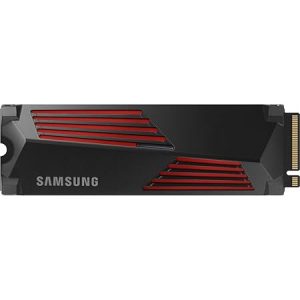

| Digital Storage Capacity | 2 TB |
| Hard Disk Interface | PCIE x 4 |
| Connectivity Technology | PCI Express |
| Special Feature | Portable |
| Hard Disk Form Factor | 2.5 Inches |
| Compatible Devices | Desktop, Gaming Console |
| Installation Type | Internal Hard Drive |
| Colour | Black 990 Pro (Heat sink ) 2TB |
2. Crucial T500 1TB Gen4 NVMe M.2
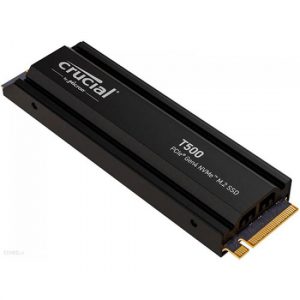
| Digital Storage Capacity | 1 TB |
| Hard Disk Interface | NVMe |
| Connectivity Technology | NVMe |
| Special Feature | Compact |
| Hard Disk Form Factor | 2.5 Inches |
| Compatible Devices | Desktop, Gaming Console, Laptop |
| Installation Type | Internal Hard Drive |
| Colour | Black |
3. Samsung 990 EVO SSD 2TB, PCIe 5.0 x2 M.2 2280
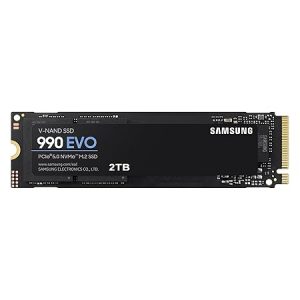
| Digital Storage Capacity | 2 TB |
| Hard Disk Interface | PCIE x 16 |
| Connectivity Technology | PCIe |
| Special Feature | compact |
| Hard Disk Form Factor | 2.5 Inches |
| Compatible Devices | Desktop, Gaming Console, Laptop |
| Installation Type | Internal Hard Drive |
| Colour | Black |
4. Crucial P310 500GB 2280 PCIe Gen4 3D NAND NVMe M.2
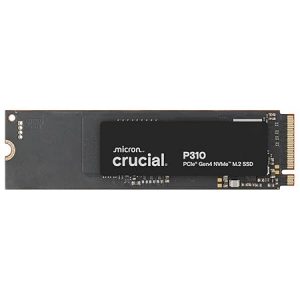
| Digital Storage Capacity | 500 GB |
| Hard Disk Interface | Solid State |
| Connectivity Technology | NVMe |
| Special Feature | Backward Compatible |
| Hard Disk Form Factor | 8 Centimetres |
| Compatible Devices | Desktop |
| Installation Type | Internal Hard Drive |
| Colour | Black |
5. EVM 1TB 2.5-Inch SATA III Internal SSD
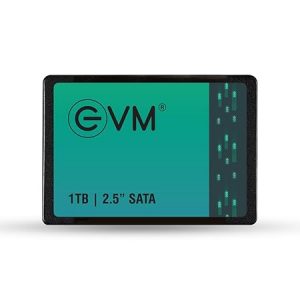
| Digital Storage Capacity | 1 TB |
| Hard Disk Interface | Solid State |
| Connectivity Technology | SATA |
| Special Feature | 1TB Storage Capacity, 2.5-Inch SATA III SSD, 3D NAND Flash, 550MB/s Read & 500MB/s Write |
| Hard Disk Form Factor | 2.5 Inches |
| Compatible Devices | Laptop |
| Installation Type | Internal Hard Drive |
| Colour | Black |
Frequently Asked Questions (FAQs)
1. What is an NVMe SSD?
An NVMe SSD (Non-Volatile Memory Express Solid State Drive) is a high-speed storage device that uses the PCIe interface to deliver much faster read and write speeds compared to traditional SATA SSDs.
2. How is an NVMe SSD different from a SATA SSD?
NVMe SSDs use PCIe lanes and offer significantly higher speeds, lower latency, and better performance than SATA SSDs, which are limited by older interface technology.
3. Is NVMe SSD compatible with all laptops and desktops?
No. Your motherboard or laptop must have an M.2 slot that supports NVMe (PCIe). Some M.2 slots support only SATA, so always check system specifications before buying.
4. How do I check if my system supports NVMe SSD?
Check your motherboard/laptop manual or manufacturer website for M.2 PCIe or NVMe support. You can also verify through system specs or BIOS information.
5. Which capacity NVMe SSD should I buy?
250GB–500GB: Basic use & OS
1TB: Gaming & professional work
2TB+: Heavy storage & content creation
Choose based on your storage needs and budget.
6. Are NVMe SSDs good for gaming?
Yes. NVMe SSDs reduce game loading times, improve system responsiveness, and enhance overall gaming performance.
7. Do NVMe SSDs improve boot speed?
Yes. NVMe SSDs significantly reduce OS boot time compared to HDDs and SATA SSDs.
8. What is the difference between PCIe Gen3, Gen4, and Gen5 NVMe SSDs?
Each generation offers higher speed:
Gen3: Good performance
Gen4: Very fast, best value currently
Gen5: Extremely fast but more expensive and requires compatible hardware.
9. Does NVMe SSD need a heatsink?
High-performance NVMe SSDs (especially Gen4/Gen5) may benefit from a heatsink to prevent thermal throttling during heavy workloads.
10. How long does an NVMe SSD last?
Most NVMe SSDs last 5–10 years depending on usage. Check TBW (Terabytes Written) rating and warranty for durability estimates.
11. Is NVMe SSD worth the higher price?
Yes, if you want faster performance for gaming, video editing, software development, or heavy multitasking.
12. Can I use NVMe SSD as primary drive?
Yes. NVMe SSDs are ideal as primary drives for installing your operating system and main applications.
13. What speed should I look for when buying NVMe SSD?
Look at read/write speeds and IOPS. For general users, 3,000–5,000 MB/s is excellent. Power users may prefer higher speeds.
14. Which brands are reliable for NVMe SSDs?
Popular reliable brands include Samsung, WD, Crucial, Kingston, Seagate, and SK hynix.
15. Do NVMe SSDs consume more power?
They can use slightly more power than SATA SSDs under load, but modern models are optimized for efficiency.
Conclusion :
The top 5 best-selling NVMe SSDs in India represent the perfect mix of speed, reliability, and value for a wide range of users — from everyday consumers and gamers to creative professionals and power users. These SSDs not only deliver blazing-fast performance that dramatically improves system responsiveness and load times but also come from trusted brands with strong after-sales support and durability. Whether you’re upgrading an existing rig or building a new system from scratch, these best-selling NVMe drives offer excellent performance per rupee and are well suited to the diverse needs of Indian buyers. Choosing any of them ensures a noticeable boost in storage performance and overall computing experience.