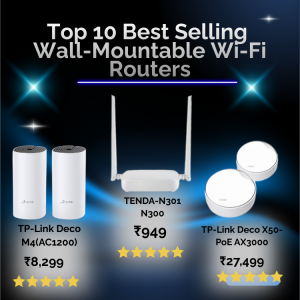
Wall-mountable Wi-Fi routers are ideal for homes, apartments, offices, and public spaces- offering clean installation, better coverage, less clutter, and often enhanced performance compared to traditional desk routers. In India’s growing broadband market, wall-mountable options are becoming increasingly popular. Designed to be installed directly on walls or ceilings, these routers help improve signal coverage by staying elevated and free from obstructions, while also keeping interiors neat and clutter-free. With options ranging from compact home routers to enterprise-grade access points, wall-mounted Wi-Fi routers offer a practical blend of performance, aesthetics, and convenience for Indian users.


Here are the top 10 best-selling models you should consider:
1. TP-Link Archer Air R5 (AX3000): Ultra-thin, designed specifically for wall mounting wi-fi 6.
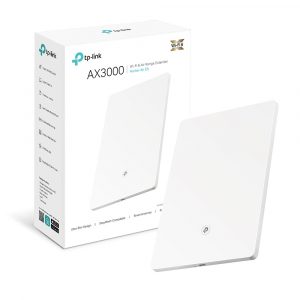

Features:
| Brand | TP-Link |
| Model Name | Archer Air R5 |
| Special Feature | Beamforming, Guest Mode, Internet Security, Parental Control, Remote Access |
| Frequency Band Class | Dual-Band |
| Wireless Communication Standard | 802.11ax |
2. TP-Link Archer AX55/AX53 (AX3000):High-speed Wi-Fi 6, great for multiple devices.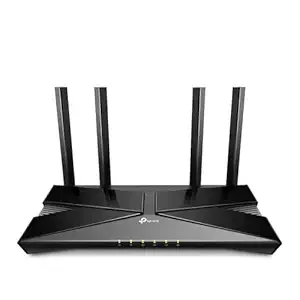
Features:
| Brand | TP-Link |
| Model Name | Archer AX53 |
| Special Feature | Access Point Mode |
| Frequency Band Class | Dual-Band |
| Wireless Communication Standard | 802.11ac, 802.11ax |
3.TP-Link Archer AX10 (AX1500): Budget-friendly Wi-Fi 6 router, wall-mountable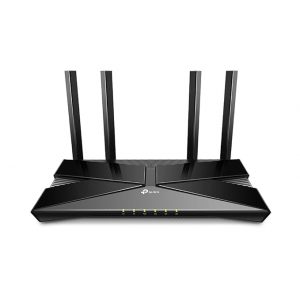
Features:
| Brand | TP-Link |
| Model Name | Archer |
| Special Feature | Access Point Mode, Alexa Compatible, Beamforming, Parental Control |
| Frequency Band Class | Dual-Band |
| Wireless Communication Standard | 802.11ax |
4. TP-Link TL-WR845N (N300): Budget-friendly 300Mbps router, wall-mountable.
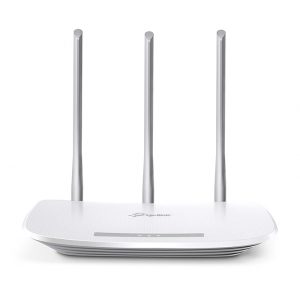
Features:
| Brand | TP-Link |
| Model Name | TL-WR845N |
| Special Feature | IPv6 Compatible, AP/RE/WISP Mode, Parental Control, Guest Network, Wireless Security Encryption, Router Mode, Access Point Mode, Range Extender Mode, WISP Mode, High Speed |
| Frequency Band Class | Single-Band |
| Wireless Communication Standard | 802.11n |
5. Tenda N301 (N300): Extremely budget-friendly, compact, wall-mountable.
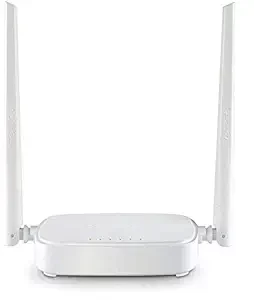
Features:
| Brand | Tenda |
| Model Name | N301 |
| Special Feature | Gaming |
| Frequency Band Class | Single-Band |
| Wireless Communication Standard | 802.11n |
6. TP-Link Archer C6 (AC1200): Popular, budget-friendly AC router.
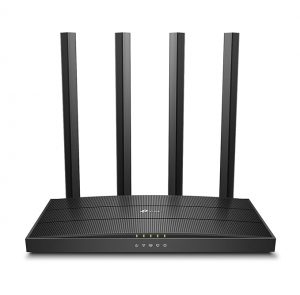
Features:
| Brand | TP-Link |
| Model Name | TP-link AC |
| Special Feature | Simultaneously transfer data to multiple devices for 2× faster: Establish a whitelist or blacklist to allow or block certain devices from accessing the internet |
| Frequency Band Class | Dual-Band |
| Wireless Communication Standard | 802.11a |
7. D-Link DIR-X1860 (AX1800): Reliable Wi-Fi 6 router, easy to install.
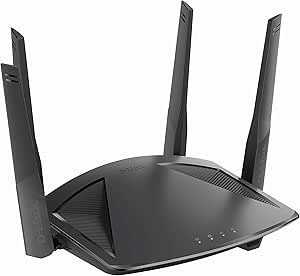
Features:
| Brand | D-Link |
| Model name | DIR-X1860 |
| Frequency band class | Dual-Band |
| Wireless communication standard | 802.11a, 802.11ac, 802.11ax, 802.11g, 802.11n |
| Compatible devices | Laptop, Personal Computer, Smart Television, Smartphone, Tablet |
| Recommended uses for product | Gaming |
| Included components | AX1800 Wi-Fi 6 Router (DIR-X1860), Ethernet cable, Power adapter, Quick Installation Guide and warranty information |
| Connectivity technology | Ethernet, Wi-Fi |
| Colour | Black |
| Item weight | 525.4 Grams |
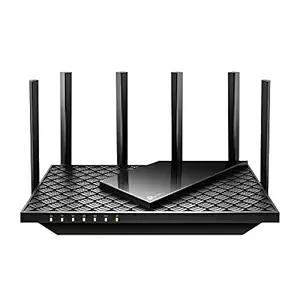
8. TP-Link Archer AX72 (AX5400): High-throughput, supports wall-mounting.
Features:
| Brand | TP-Link |
| Model Name | Archer AX72 Pro |
| Special Feature | Access Point Mode, Guest Mode, QoS, USB Print Server, WPS |
| Frequency Band Class | Dual-Band |
| Wireless Communication Standard | 802.11a, 802.11ac, 802.11ax, 802.11b, 802.11n |
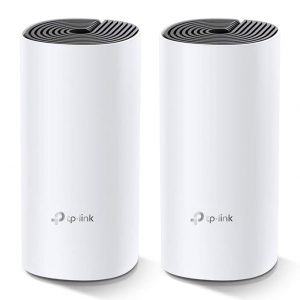
9. TP-Link Deco M4 Whole Home Mesh Wi-Fi System, Seamless Roaming and Speedy (AC1200).
Features:
| Brand | TP-Link |
| Model Name | Deco M4 |
| Special Feature | Remote Access |
| Frequency Band Class | Dual-Band |
| Wireless Communication Standard | 802.11ac, 802.11g, 802.11n |
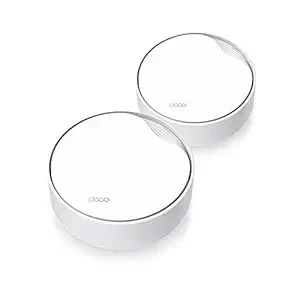
10. TP-Link Deco X50-PoE AX3000 Whole Home Mesh WiFi 6 System with PoE.
Features:
| Brand | TP-Link |
| Model Name | Deco X50-PoE |
| Special Feature | Access Point Mode, Guest Mode, QoS |
| Frequency Band Class | Dual-Band |
| Wireless Communication Standard | 802.11ac, 802.11ax, 802.11n |
FAQs – Wall-Mounted Wi-Fi Routers
1. What is a wall-mounted Wi-Fi router?
A wall-mounted Wi-Fi router is designed to be installed directly on a wall rather than placed on a desk or shelf. This helps save space, improve coverage, and keep cables organized.
2. Does wall mounting improve Wi-Fi performance?
Yes, often. Mounting a router higher and away from obstructions can improve signal distribution, reduce interference, and provide more consistent coverage.
3. Can any router be wall mounted?
Not all routers are designed for wall mounting. Some models include mounting holes or brackets, while others require third-party mounts. Always check the manufacturer’s specifications.
4. Is wall mounting safe for the router?
Yes, as long as it’s properly installed using the correct screws or mounting hardware and placed in a well-ventilated area to prevent overheating.
5. Where is the best place to mount a Wi-Fi router?
Ideally, mount it:
Near the center of the coverage area
At least 1.5–2 meters (5–7 ft) above the floor
Away from thick walls, metal objects, and appliances
6. Do wall-mounted routers need special power connections?
Most use standard power adapters. Some support Power over Ethernet (PoE), which allows power and data through a single Ethernet cable—common in offices and commercial setups.
7. Will wall mounting affect signal direction?
It can. Antenna orientation matters, so follow the manufacturer’s guidance when positioning antennas to ensure optimal horizontal and vertical coverage.
8. Are wall-mounted routers suitable for homes or offices?
Both. They’re popular in offices, hotels, and apartments, but also great for homes where space, aesthetics, or consistent coverage are priorities.
9. Can I mount a router on drywall?
Yes, but use wall anchors if mounting directly to drywall. For heavier routers, mounting into a stud is recommended for stability.
10. Does wall mounting make maintenance harder?
Not significantly. Ensure easy access to ports, indicator lights, and reset buttons when choosing the mounting location.
Conclusion —
Wall-mounted Wi-Fi routers offer a smart, space-saving solution that can enhance wireless coverage and performance in both homes and offices. By positioning the router higher and more centrally, you reduce obstructions and improve signal reach, helping eliminate dead zones and deliver more consistent connectivity. While not every router is designed for wall installation, many modern models include mounting features or can be adapted with proper brackets. With thoughtful placement and proper installation, wall-mounted routers combine practicality, aesthetics, and performance—making them a solid choice for users looking to optimize their Wi-Fi experience